发布新帖

検索

文章
· 一月 24, 2022 阅读大约需 1 分钟

GlobalToJSON-Academic

I have created a package that offers a utility to load a Global into JSON object and reverse     
to create a Global from this type of JSON object. Academic refers to the structure created.
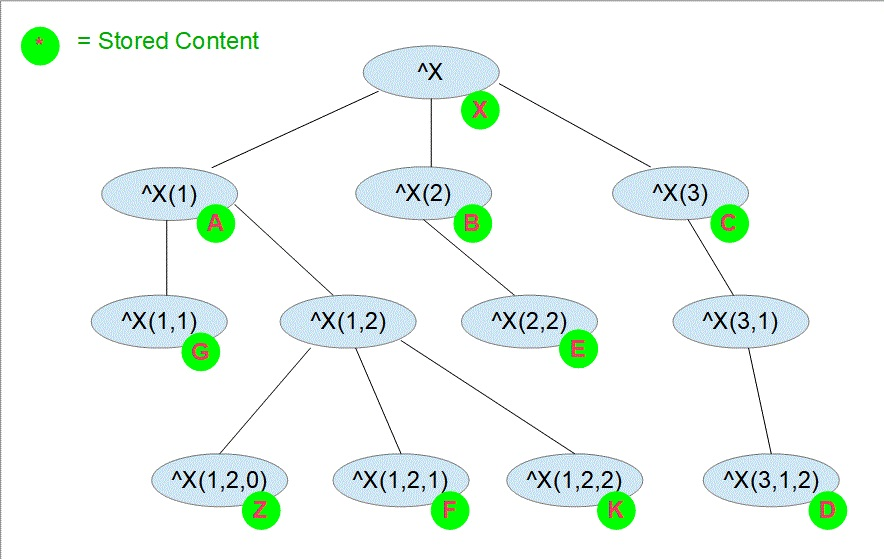
Each logical node of the Global is presented separately with all its descendants.
Even if they don't contain any stored data.

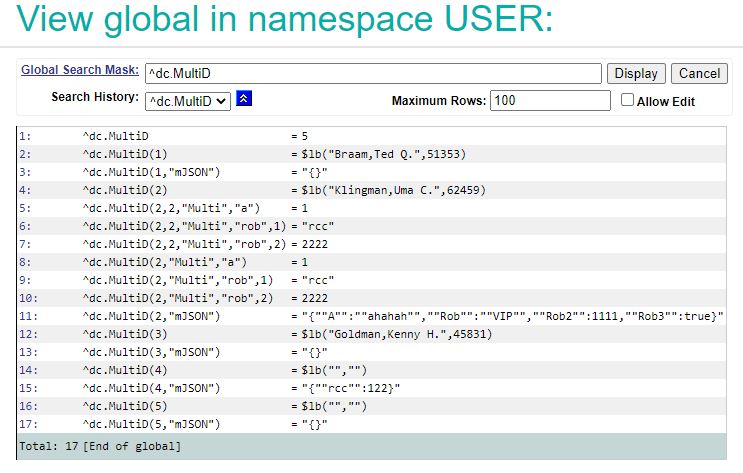
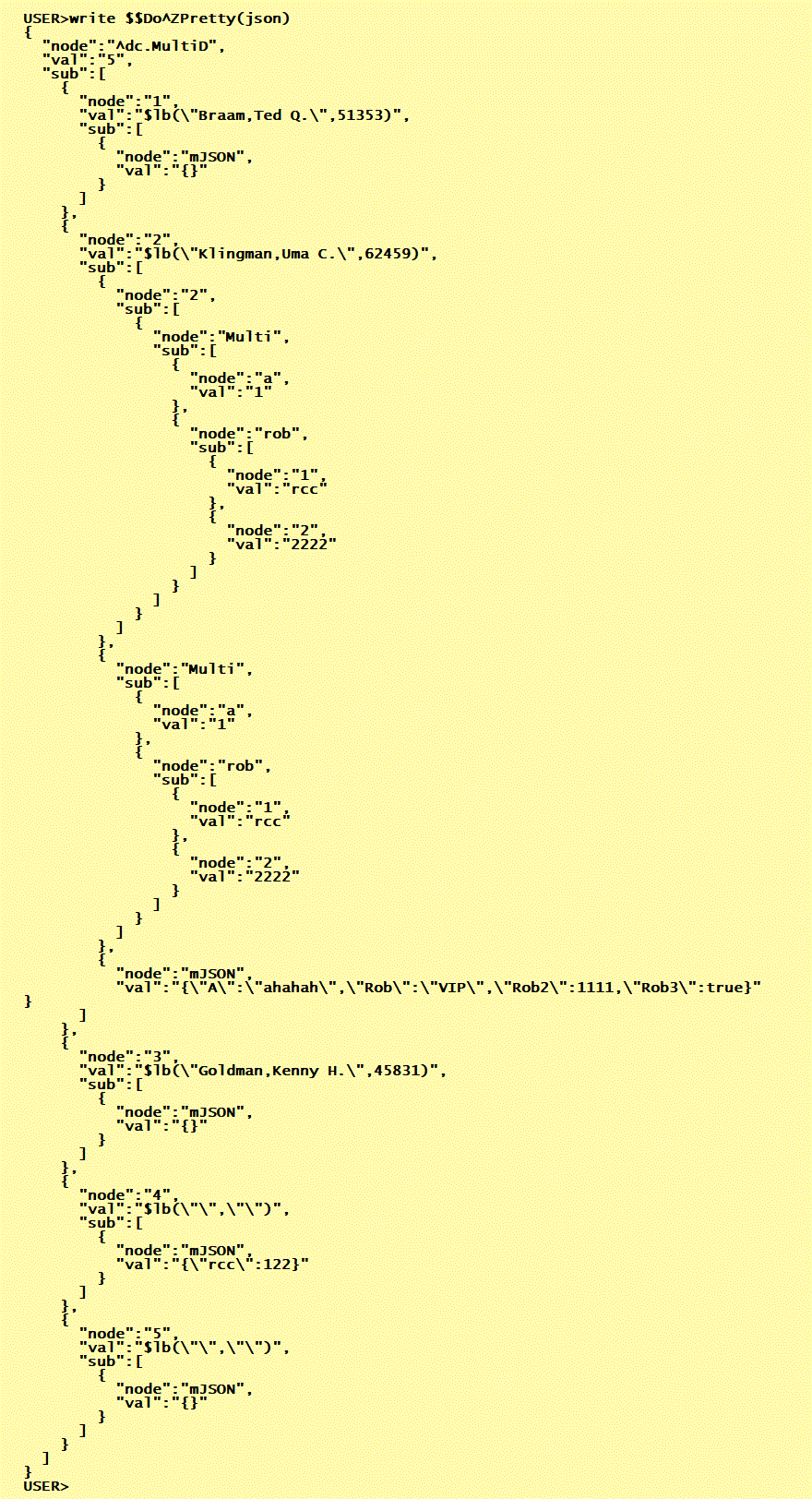
The export of this Global 

Generates a JSON object that covers all Global nodes 

And the related Loader creates exactly the same Global

Video

1 Comment
讨论 (1)1
登录或注册以继续
公告
· 一月 19, 2022

[Video] IKO: The InterSystems Kubernetes Operator (Version 3.0)

Hey Developers,

Watch as the presenter uses IKO to deploy the WebGateway, SAM, and InterSystems API Manager with the latest version of the InterSystems Kubernetes Operator: 

⏯ IKO: The InterSystems Kubernetes Operator (Version 3.0)


🗣 Presenter: @Steve Lubars, Software Developer, InterSystems

Subscribe to the InterSystems Developers YouTube channel and stay tuned!

讨论 (0)0
登录或注册以继续
问题
· 一月 12, 2022

SQL LOAD DATA FROM FILE - limits in VALUE clause ?

II try to explore the new SQL LOAD DATA  feature in SQL comparing it to SQL INSERT

I'm stuck at this point:  INSERT INTO <table> (columns...) VALUES  (.....)
allows having not just simple column references but also ALL Standard SQL FUNCTIONS (at least)
example:  

INSERT INTO Test (ShortName,DOB) VALUES  (SUBSTRING(Name,1,4),TO_DATE(displayDate,'MM-DD_YYY')) 

This works perfectly. 
BUT the same VALUE clause applied to LOAD DATA  fails in various ways:

LOAD DATA FROM FILE '/irisrun/repo/LoadSQL.txt'
INTO Test (ShortName)  VALUES (SUBSTRING(Name,3,4))
USING {"from":{"file":{"header":"1"}}}

Refused compilation by returning: 

SQL Error Details
SQLCODE=-1
   IDENTIFIER expected, reserved word SUBSTRING found

and this repeats in a similar way with other SQL Standard FUNCTIONS

Question:
- Do iI miss some syntactical trick to use Standard SQL FUNCTIONS ?
- Is the VALUE clause of LOAD DATA just so narrow-minded allowing only column names ??
  This would be a quite disappointing explanation. 

3 Comments
讨论 (3)1
登录或注册以继续
问题
· 一月 4, 2022

How to make HL7 ORM message wait in Iris until an acknowledgement is received from the EMR system?

We will receive an ORM message in Business Service in Iris. From that ORM, an ADT^A31 message will be generated and sent out to the EMR before the ORM message is sent out. The ORM message has to wait until Iris receives an acknowledgement from the EMR indicating the ADT message was received. Then, the ORM message will be sent to the EMR. What do I need to set up to hold the ORM message until the acknowledgement is received? 

Thank you!

Patty Aguirre-Romero

11 Comments
讨论 (11)5
登录或注册以继续
文章
· 一月 2, 2022 阅读大约需 3 分钟

DB Migration using SQLgateway

Thanks to @Yuri Marx we have seen a very nice example for DB migration from Postgres to IRIS.
My personal problem is the use of DBeaver as a migration tool.
Especially as one of the strengths of IRIS ( and also Caché) before is the availability of the
SQLgateways that allow access to any external Db as long as for them an access usinig 
JDBC or ODBC is available. So I extended the package to demonstrate this.

It is a classic OEX package with a complete Docker.
The SQLgateway is installed during Docker build and the required jdbcdriver for Linux
is included in this repo In order to make this demo faster, the size of tables to migrate
have been shrunk a bit. 

How to test

All migration actions can be executed directly from SMP.

1.   
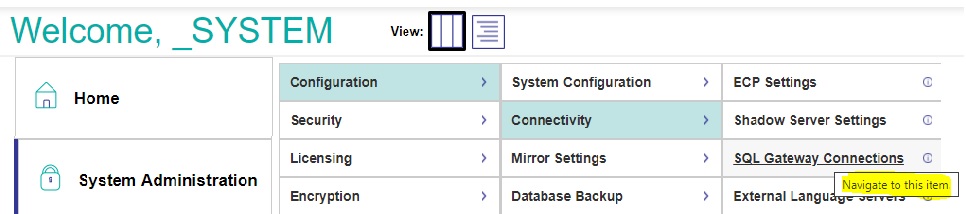
Verify the gateway connection in     
SMP> Administration> Configuration >Connectivity >SqlGateway_Configuration        
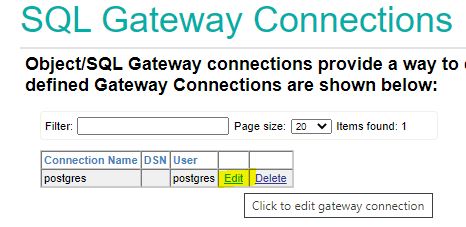
To test Connection click edit
 

and Test Connection     
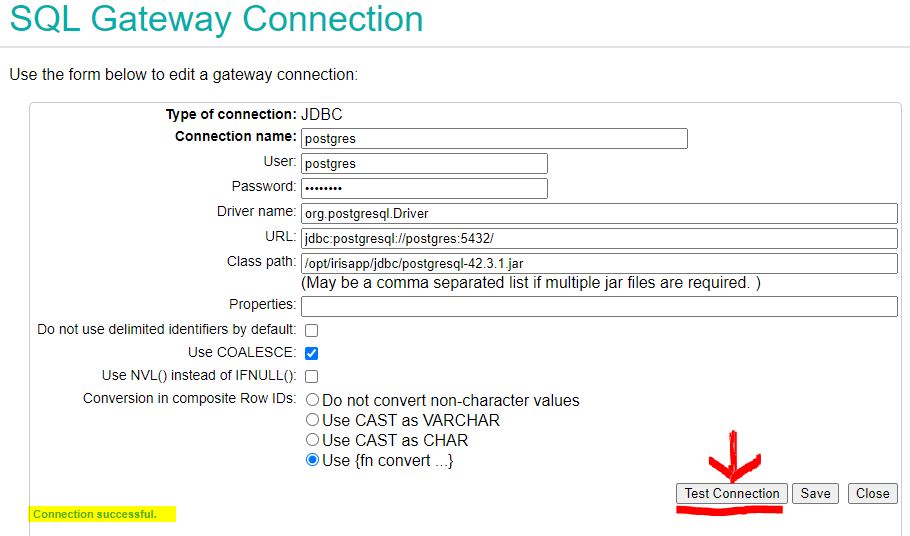
 

- verify Connection successful     
- Be patient at this point. Postgres Containers sometimes take quite some time to talk to you.    
- Wait a little bit, reload the page in browser and try the test again.     

2.
Identifying the source tables. In SMP > Change to Namespace USER then step to     
SMP >Explorers >SQL >Wizards > Data Migration      

3.     
Set required import parameters         
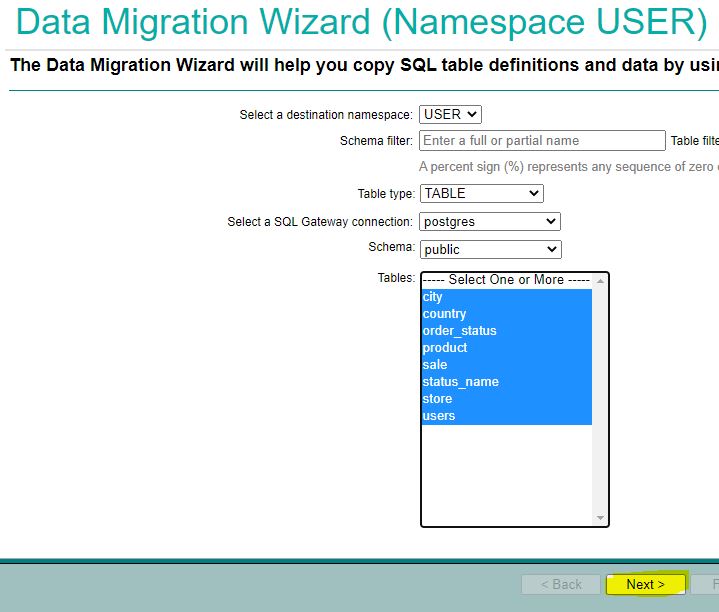
 

- Destination Namespace       
- Type = TABLE      
- Gateway = postgres      >>>  now the first connection is established and you select             
- Schema = public               
- Tables to migrate = all         

4.      
Identify target but change schema to be OEX compatible from public to dc_public         
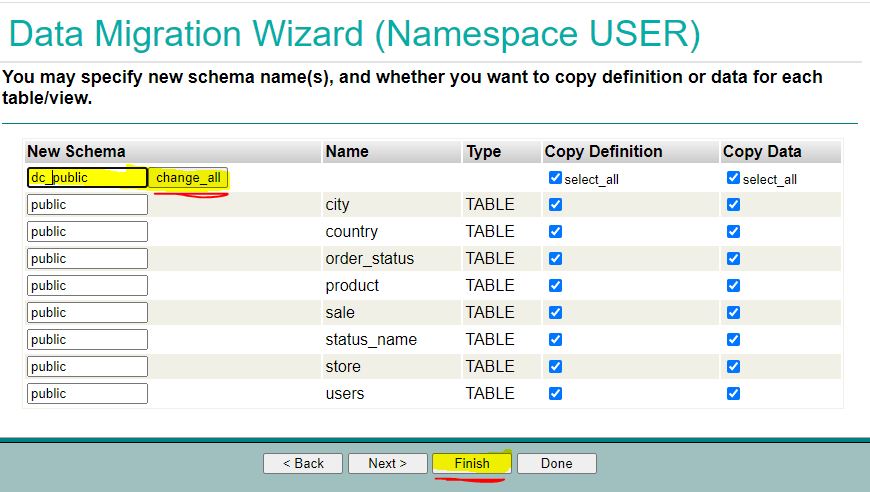
  don't forget to click change all     
-  we migrate Definitions and Data so both sides are selected       

5.        
Skipping special settings we use defaults we start the task in background           

       

6.     
Now we check the results and see everything was working without Errors           
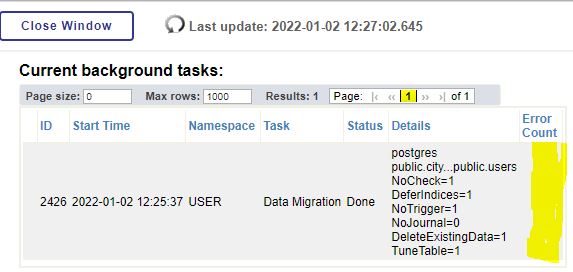
- You might see errors if tables depend on the content not yet migrated.       
- And wait for completions until the status shows Done     

7.     
We terminate the Migration Wizzard and return to normal table view filtered by dc*           
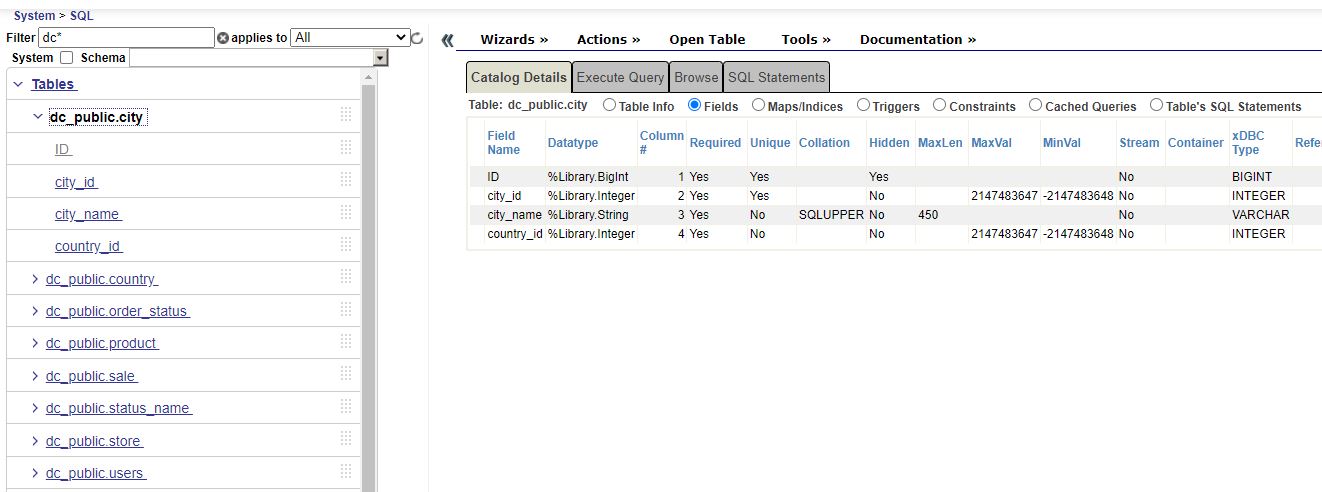
- All 8 tables are visible and show meaningful columns
 

8.             
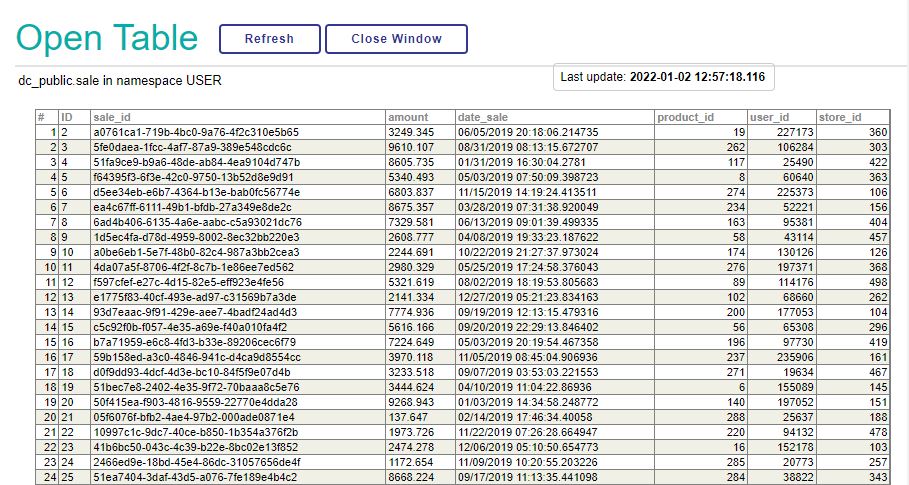
Selecting a table and clicking on OpenTable shows reasonable contents            
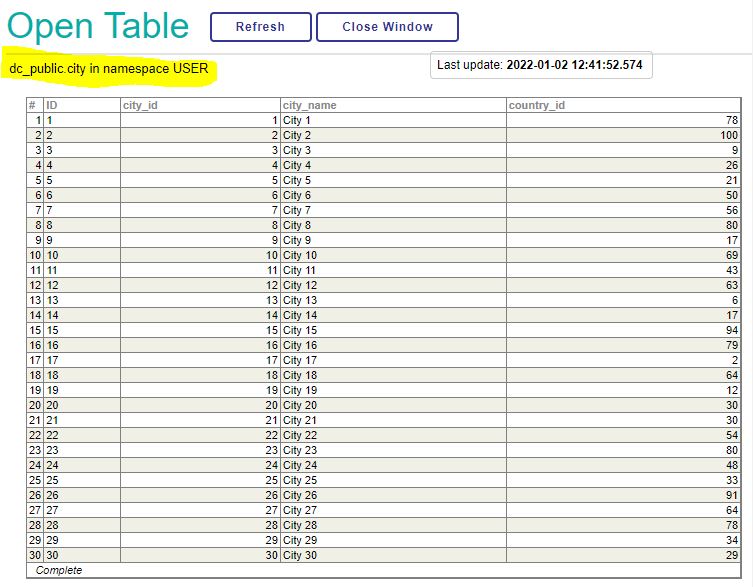


9.    
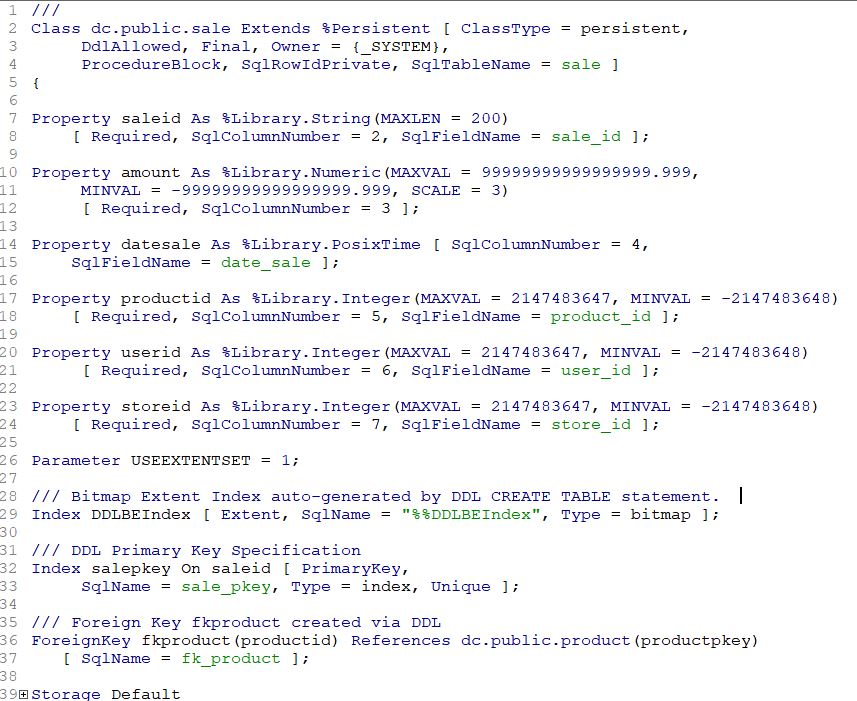
A look into the related generated Class Definitions confirms the result and successful completion.           
3 Comments
讨论 (3)2
登录或注册以继续