小贴士!如何在 Teams 中使用 Intersystems 文档创建 AI Agent!
大家好
我将为大家提供一个快速小技巧,教大家如何实施一个 AI Agent来搜索集成到 Teams 中的 Intersystems 文档。
是的,我知道文档页面有自己的人工智能搜索引擎,而且相当有效,但这样我们就能更快地访问,尤其是如果 Teams 是贵公司的企业工具。
您还可以创建另一个 AI Agent来搜索在开发者社区中发布的文章(该社区也有自己的集成人工智能搜索引擎)。
步骤 1
选择 "Copilot "选项
.png)
步骤 2
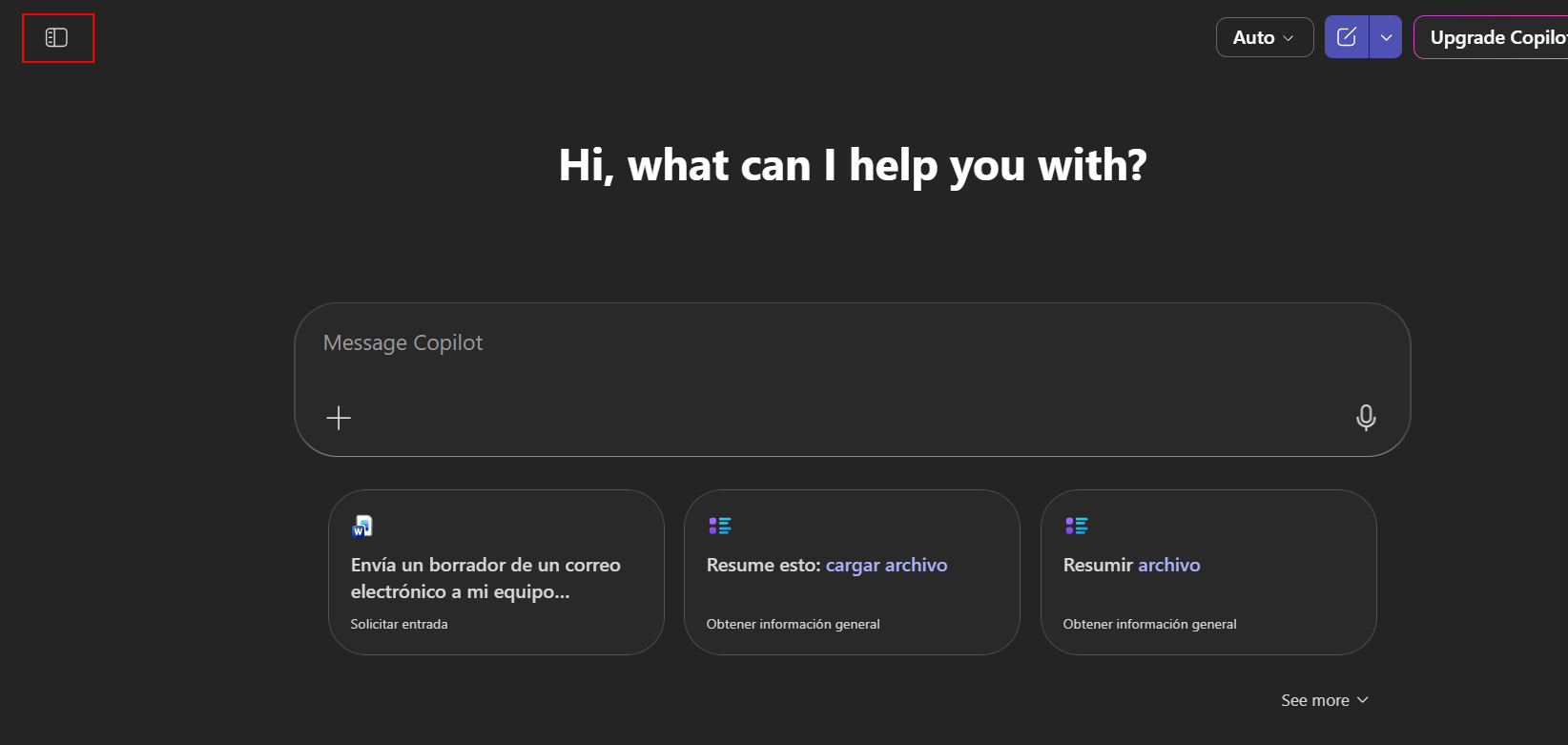
选择 "创建代理(Create agent)"选项。
如果最初没有看到该选项,请按左上角出现的按钮。
 步骤 3
步骤 3
选择 "配置(Configure)"选项,避免使用现有模板。
给 AI Agent起一个名字,例如 "Intersystems Docs",并加上说明。您还可以自定义代理的图标。
在 "Instructions "部分,添加以下条目。
- The agent must search for information on the InterSystems website.
- Provide accurate and relevant answers based on the information found.
- Maintain a professional and clear tone in all interactions.
- Do not provide information that is unverified or not found on the InterSystems website.
- Guide the user to additional resources if necessary.
添加 Intersystems 文档的 URL
注:如果要创建一个查询开发者社区的代理,请使用以下链接:
https://community.intersystems.com
或同时添加这两个链接,使搜索更完整。
.png)
第四步
我们可以添加提示建议。
| 标题 | 信息 |
| 搜索信息 | 您可以在 InterSystems 网站上搜索有关 [主题] 的信息吗? |
| 资源指南 | 您能为我提供 InterSystems 网站上有关 [主题] 的资源指南吗? |
| 具体细节 | 我需要 InterSystems 网站上有关[主题]的具体细节。 |
| 最新更新 | InterSystems 网站上关于[主题]的最新更新是什么? |
.png) 按下 "Create "按钮就可以了......现在我们可以使用我们的AI Agent了
按下 "Create "按钮就可以了......现在我们可以使用我们的AI Agent了
.png)
我们可以使用我们的新代理查找任何内容;我们可以用任何语言查找,因为它已经包含了翻译。
.png)
.png)
希望你们和我一样觉得它很有用。