发布新帖

查找

公告
· 二月 12, 2020

New Video: Intersystems IRIS Kubernetes Operator

Hi Developers,

The new video from Global summit 2019 is already on InterSystems Developers YouTube:

⏯ Intersystems IRIS Kubernetes Operator

This video introduces the InterSystems IRIS Kubernetes operator, which enables InterSystems IRIS containers to function as "first-class citizens" of the Kubernetes ecosystem. We recommend that you be familiar with basic Kubernetes concepts: Introduction to Kubernetes Video

Takeaway: You will understand and appreciate the value proposition of the InterSystems IRIS Kubernetes operator.

Presenters: 
🗣 @Luca Ravazzolo, Product Manager, InterSystems
🗣 @Steve Lubars, InterSystems Software Developer

Additional materials to this video you can find in this InterSystems Online Learning Course.

Check out the Cloud Deployment Resource Guide.

Enjoy watching this video! 👍🏼

4 Comments
讨论 (4)1
登录或注册以继续
文章
· 十二月 21, 2019 阅读大约需 2 分钟

Demo de SUDOKU

Para aquellos expertos que no pueden parar después del concurso "Advent of Code" (AoC2019), he publicado un código bastante antiguo en estilo tradicional para mejorarlo.

Fue escrito en base a una prueba previa en .XLS. Está lejos de ser perfecto. Es más bien un desafío para mejora en todas las direcciones (código, interfaz, ...). Así que cualquiera está invitado a mejorarlo.

Esto se refiere a la última actualización ya (SUDOKU5.mac).
Nota: la demo aún no habla español. Podría ser la primera mejora que quieras hacer.  wink

    USER>d ^SUDOKU5es
     ;; ¡Bienvenido a esta demostración de SUDOKU!
     ;; puedes resolver tu SUDOKU más fácilmente o crear el tuyo propio
     ;; debajo de cada casilla encontrará una lista
     ;; de valores permitidos para este cuadro
     ;; complete los números 1..9 según lo necesite
     ;; para borrar una casilla, introduzca cualquier caracter o espacio en blanco
     ;; para parar, introduzca . o , para resolver, introduzca ?
     ;; puede navegar entre las casillas con las teclas <>^v
     ;; comandos de administración simples:
     ;; . para parar
     ;; , para parar
     ;; * iniciar el solucionador
     ;; x eXportar estado real a csv_file (0 = terminal)
     ;; i importar el estado de csv_file (0 = terminal)
     ;; ^ escribir instantánea en Global ^box()
     ;; ! cargar instantánea desde Global ^box()
     ;;
     ;; Para una mejor visualización, necesita un terminal configurado a 48x80
     ;;
Adelante:


GitHub

讨论 (0)0
登录或注册以继续
问题
· 十二月 18, 2019

Connecting Remote server(Cache) to Power BI

Hi Folks,

I would like to visulaize the tables and data on Power BI, so I try to connect the romote server to Power BI to access the tables and data of remote server. I can able to connect that remote server to our Studio also able to view class files. 
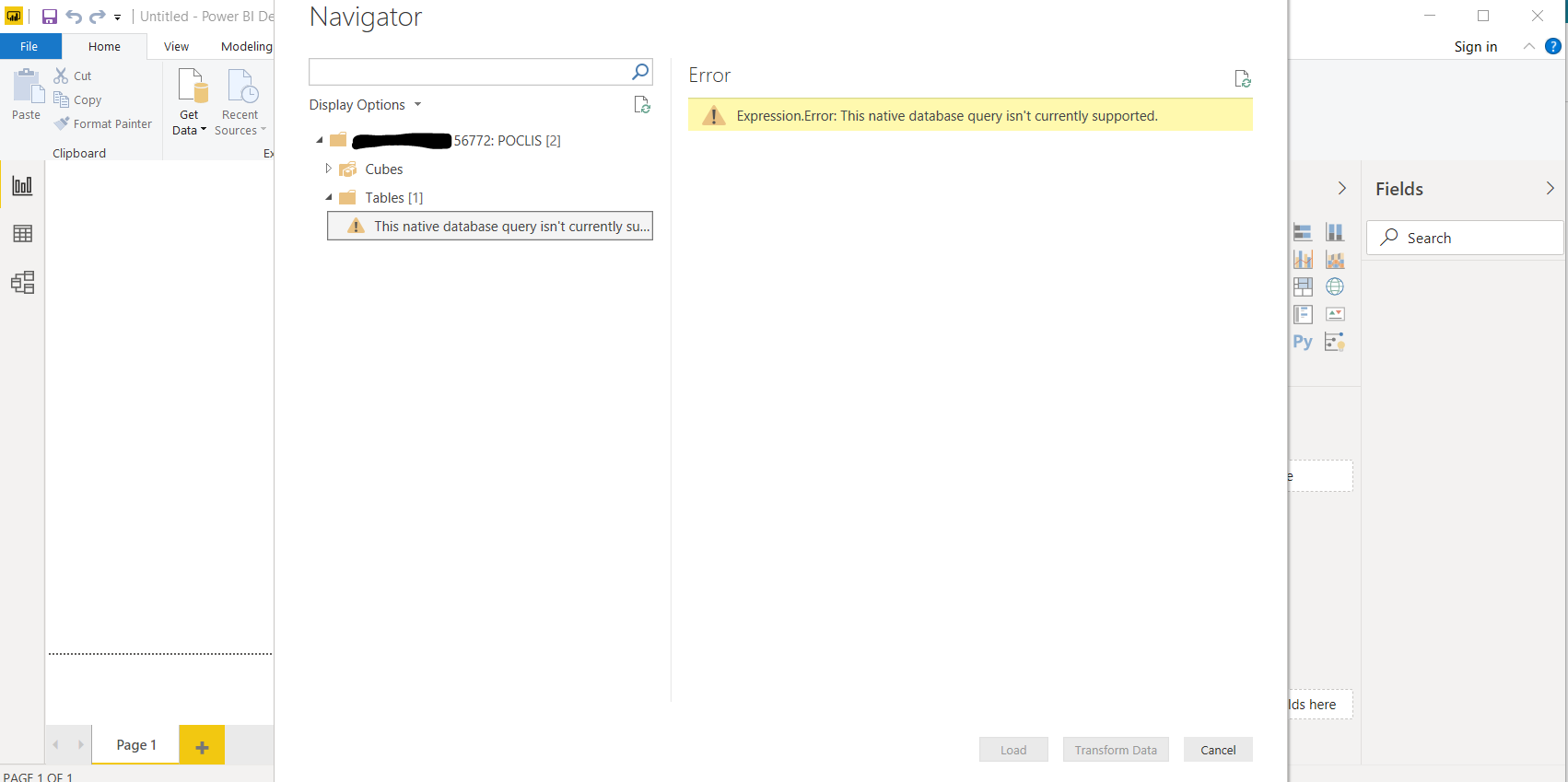
But I couldn't able to connect the remote server to power BI. I'm getting the below error while click on the tables 

"Expression.Error: This native database query isn't currently supported" 

 So now I'm in need of help


Thanks,

Vikram 

8 Comments
讨论 (8)1
登录或注册以继续
公告
· 十二月 13, 2019

New Video: Using IoT in InterSystems IRIS for Health

Hi Everyone,

Please welcome the new Global Summit 2019 video on InterSystems Developers YouTube Channel:

Using IoT in InterSystems IRIS for Health


In this video, we will demonstrate connecting a heart rate sensor, to InterSystems IRIS for Health via an MQTT/IoT interface. We will show how the sensor reading becomes a well-formatted HL7 message, suitable for sharing and analysis.

Takeaway: InterSystems IRIS for Health enables you to capture and use the latest wearable data from healthcare sensors.
Presenter: @Anton Umnikov, Senior Cloud Solution Architect, InterSystems

Enjoy watching the video! 👍🏼

讨论 (0)0
登录或注册以继续
文章
· 十二月 9, 2019 阅读大约需 1 分钟

SUDOKU demo

A demo in traditional style COS

This was written based on a previous trial in .XLS
It is far from being perfect. Rather a challenge for
improvement in all directions (code, interface, ...)
So anyone feel invited to make it better.

USER>d ^SUDOKU5
;; Welcome to this SUDOKU demo !
;; you may solve your SUDOKU easier or create your own
;; under each box entry you find a list
;; of allowed values for this box
;; fill in numbers 1..9 as you need
;; to clear a box enter any character or blank
;; to stop enter . or , for the solver enter ?
;; navigate between boxes by cursor keys <>^v
;;
go:

讨论 (0)1
登录或注册以继续